
MuseScore: Music Chords & Tabs
Musescore LimitedMusic & Audio
3.86.14K Reviews
- Version
- 2.14.44
- Installs
- 10.00M
- Age Rating
- Teen
Screenshots


Our Review of MuseScore: Music Chords & Tabs
 Analysis by Appyee
At home, sheet music often becomes a shared resource: one person is learning a melody, another wants to check a part, and someone else is simply curious about a tune. I find MuseScore: sheet music most useful in that setting as a place to browse and read scores, rather than as a substitute for every music tool a household might need. It is a free music and audio app from Musescore Limited, with a 3.8 average from around 150,000 ratings and over 10 million installs. Those figures suggest it reaches a broad audience, though they don’t tell you whether its particular way of working suits your family or practice routine.
One score, several ways to use it
A realistic use for the app is a shared practice session: a learner opens a score on a tablet, a parent follows along, and a more experienced musician checks how the written notes fit the tune. A large screen can make reading parts easier than passing a phone back and forth, but the household still needs to agree on whose account and saved material are being used. I would treat the device as a convenient music stand, not assume that sharing a screen also shares personal libraries or settings.
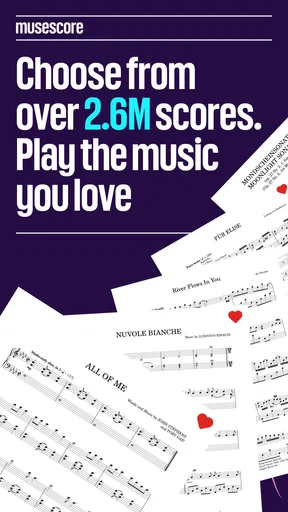
The collection is the main reason I’d try it. The app is described as having more than 2.6 million free scores, giving curious players a lot to explore across styles. That breadth is handy when a lesson or rehearsal suddenly calls for a piece you don’t already own. It also means search results may take some judgement: finding a score is only the first step, and you’ll still want to check that the arrangement, instrumentation, and difficulty match what the player needs.
Setting boundaries on a shared device
Before handing a phone or tablet to a child, I’d decide whether they should browse independently or only open a score chosen by an adult. The app is rated Teen, so it makes sense to consider that age context rather than treating it as a children’s music-only space. An adult can help select appropriate material and keep purchases in mind. The app is free to download, but it offers in-app purchases ranging from $1.99 to $214.99 per item; I’d review the purchase setup on the device before letting younger users explore on their own.
Accounts are another practical boundary. If several people use one device, I wouldn’t assume that activity, saved items, or preferences are separated automatically. Each household can decide whether a shared account is convenient or whether individual use on separate devices is a better fit. That small conversation avoids confusion later, especially when one person is collecting practice material while another is browsing for a different instrument.
Making practice easier to coordinate
For a family with different schedules, a score can serve as a common reference: a learner can mark what to revisit, then show the same passage to a teacher or relative during the next practice session. I’d keep coordination simple by agreeing on the exact title or arrangement, since a familiar song may have multiple versions. A quick comparison of the opening notes and the instrument part can prevent someone from practicing from the wrong score.
In a group rehearsal, the app’s score-sharing and collaboration claims sound useful in principle, but I’d still plan around the group’s existing workflow. If everyone just needs to read the same part, sharing a clear copy may be enough; if several musicians are actively editing, it is worth deciding who makes changes and which version is the working one. That matters more than having everyone edit at once. I would also check that the export format suits the software or device the group already uses before relying on it for an important rehearsal.
Getting Started with MuseScore
When I first downloaded MuseScore: sheet music, I was immediately impressed by its clean and user-friendly interface. Setting it up was a breeze, and I was ready to dive into the world of sheet music composition in no time. The app is available on both Android and iOS, which means you can have it right at your fingertips, whether you’re using a smartphone or a tablet.
The moment you open the app, you’ll notice the well-organized dashboard. It’s straightforward, making navigation a piece of cake. Whether you're a beginner or a seasoned musician, you’ll find everything you need without getting lost in a sea of options.
Features that Stand Out
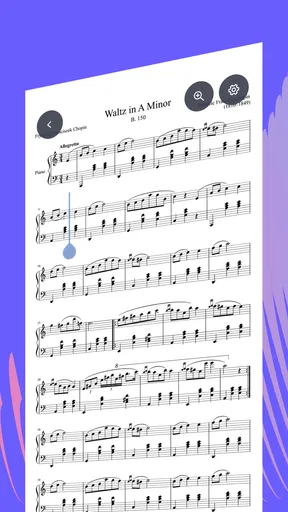
One of the first things that caught my attention was the extensive library of sheet music available. Whether you’re into classical pieces or modern hits, there’s something for everyone. You can also upload your own scores, which is perfect if you’re working on original compositions.
Now, the app doesn’t just stop at letting you view sheet music. You can also edit and create your own. The editing tools are intuitive and powerful, allowing you to add notes, change pitches, and even adjust the tempo. It’s like having a mini music studio in your pocket!
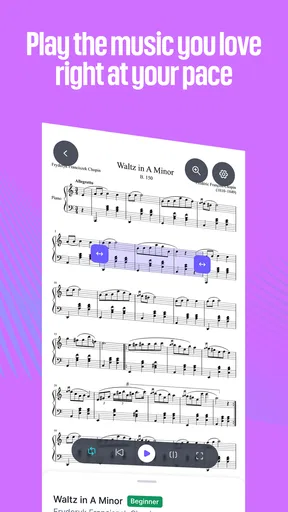
Another feature I find incredibly useful is the playback option. With just a tap, you can hear your creations come to life. It’s a fantastic way to catch any mistakes and perfect your compositions. Plus, there’s a metronome feature to keep your timing spot on.
Collaboration and Sharing
For those of us who love to collaborate, MuseScore makes it super easy. You can share your scores with friends or fellow musicians directly from the app. It’s a seamless process, and you can even invite others to edit your scores. This feature is particularly handy for bands or orchestras wanting to work together without the hassle of meeting up in person.
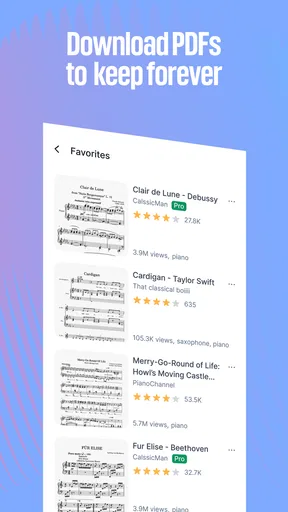
Moreover, the app supports exporting in various formats like PDF, MIDI, and MusicXML. This flexibility means you can use your scores across different platforms and software, which is a huge plus in my book.
Community and Support
One of the aspects that make MuseScore truly special is its community. There’s a thriving online community of musicians who share their work and offer support. Whether you’re looking for feedback or just want to discover new music, the community is a treasure trove of information and inspiration.
If you ever run into issues or have questions, the support team is responsive and helpful. Plus, there are plenty of tutorials and guides available, which I found incredibly beneficial when I was just starting out.
Choosing the right tool for the job
Compared with a basic PDF reader, this app is aimed at people who want to discover scores as well as open them. Playback and editing can make a score more interactive than a static page, while the broad catalogue gives it a different role from a metronome or a lesson app. On the other hand, if you already have a specific score file and only need to read it, a straightforward document reader may feel simpler. If your main goal is notation work on a computer, a desktop notation program may be more comfortable for detailed editing than a phone screen.
That distinction helps set expectations: I’d use the app to explore repertoire, check a part, or try out an idea, then move to another tool when a project calls for a more specialized workflow. On a small display, dense notation can be tiring to inspect, and mobile editing is not automatically the best choice for long, intricate compositions. A tablet is the more natural household device for reading together; a phone remains useful for quick checks when you’re away from the music stand.
Practical limits before you settle in
Although the app is free, the in-app purchase range is broad enough that I’d avoid treating every available option as part of the free experience. Check the purchase prompt and terms on the device before committing, particularly if the app will be used by more than one person. The current version is 2.14.14, and it requires Android 7.0 or later; that makes the operating-system requirement worth checking before installing it on an older Android device. The app was released on August 13, 2014, so it has been around for years, but a long history alone can’t tell you how well it will suit a particular device or current workflow.
Another useful habit is to listen to playback while following the notation, rather than relying on playback alone. Hearing a passage can help you locate a rhythm or pitch that feels unfamiliar, but it does not replace careful reading or a teacher’s feedback. For a beginner, I’d use it as a prompt to ask better questions—where a phrase changes, which notes belong to a part, or how the rhythm is counted—not as proof that a score is the right arrangement for a lesson.
Community, discovery, and trust
The community angle can be valuable when a musician wants inspiration beyond a lesson book, but I’d still use ordinary judgement when browsing material shared by other people. A popular-looking result is not automatically the version a teacher expects, so compare the score with the assignment or performance plan. For younger users, an adult can make discovery more intentional by choosing a search together and talking through what the learner is opening, rather than treating a Teen-rated app as though it were designed solely for children.
For household coordination, a simple routine works better than assuming the app will organize everyone’s practice. One person can choose a score, another can check the instrument part, and the learner can use playback as a reference before practicing offline or with a teacher. If a family needs strict separation between users, parental controls, or a dedicated lesson plan, those needs should be handled through the device and other tools rather than presumed to come from this app.
Who I’d recommend it to
I’d recommend it to curious musicians who read notation, want a large place to look for repertoire, or occasionally need to make and share a score. It can also be useful for households where one person is learning and others enjoy helping: the score gives everyone something concrete to follow, and playback can make a first look less intimidating. The 3.8 average rating is a reminder that a large audience does not guarantee a perfect experience for every user, so I’d try it with a modest task first—finding one suitable piece or checking one part—before making it central to a group’s routine.
I’d skip it, or pair it with another tool, if you mainly want a simple sheet-music viewer, need a focused child-only environment, or expect a phone app to replace a full desktop composition setup. It is also not the right answer when a group has to follow a specific edition and nobody has checked that the result matches. For those situations, a trusted score source, a plain PDF reader, or desktop notation software may be a better fit.
Final Thoughts
In conclusion, MuseScore is a must-have app for anyone passionate about music. Its combination of a user-friendly interface, powerful editing tools, and a supportive community make it a standout choice for musicians of all levels. Whether you’re composing your next masterpiece or just exploring new music, MuseScore is there to make the journey enjoyable and rewarding.
So, if you haven’t already, give it a try. You might just find that it becomes your go-to tool for all things sheet music. Happy composing!
My household verdict
For shared use, I see it as a helpful music resource rather than a complete household practice system. It can bring a learner, parent, and fellow musician around the same score, but a little coordination still matters: agree on the arrangement, decide who is using the account, and review purchase settings before a younger person explores. Those steps make the experience more predictable without expecting the app to provide family controls or manage everyone’s schedule.
If your household enjoys reading music and wants one app for browsing, playback, and occasional score work, it is worth trying. If you need strict account separation, a child-focused experience, or highly detailed composition on a small screen, I’d choose a different tool for that part of the job. My recommendation is strongest for musicians who treat it as a flexible companion to practice, not as a replacement for a teacher, a reliable edition, or every other music app they use.
Verdict
Strengths of MuseScore: Music Chords & Tabs
- Extensive library of free sheet music.
- User-friendly interface for beginners.
- Offers music composition tools.
- Cross-platform synchronization available.
- Active community for feedback and tips.
Limitations of MuseScore: Music Chords & Tabs
- Requires subscription for advanced features.
- Occasional app performance issues.
- Limited offline access to scores.
- Ads can be intrusive in free version.
- Some instruments have fewer scores.
Similar Picks in This Category
View All
YouTube Music
Google LLC4.4

Samsung Music
Samsung Electronics Co., Ltd.3.8

Spotify: Music and Podcasts
Spotify AB4.3

JioSaavn - Music & Podcasts
Saavn Media Limited4.3

Lark Player:Music Player & MP3
Lark Player Studio - Music, MP3 & Video Player4.6

StarMaker: Sing Karaoke Songs
SKYWORK AI PTE. LTD.4.3
Frequently Asked Questions
What is MuseScore and who is it for?
MuseScore is a comprehensive sheet music application designed for musicians, composers, and music enthusiasts. It allows users to create, edit, and share sheet music easily. Whether you're a professional composer or a beginner learning to read music, MuseScore provides a user-friendly interface and a rich set of features to suit all levels.
Is MuseScore free to use, and what are the subscription options?
Yes, MuseScore is free to download and use with its core features. However, it also offers a MuseScore Pro subscription, providing additional benefits such as unlimited cloud storage, advanced export options, and access to a vast library of sheet music. This subscription enhances user experience for those seeking more advanced features.
Can I use MuseScore offline, and how does it sync with other devices?
MuseScore can be used offline for composing and editing music. However, to sync your work across different devices, an internet connection is necessary. The app allows you to save your compositions to the cloud, ensuring your work is accessible from any device with your MuseScore account.
What file formats does MuseScore support for import and export?
MuseScore supports a variety of file formats for both import and export, including MusicXML, MIDI, and PDF. This versatility allows users to collaborate with others using different music software and makes it easy to share compositions with musicians and composers who may not use MuseScore.
Does MuseScore offer any educational resources or tutorials?
Yes, MuseScore offers a range of educational resources, including tutorials and a supportive online community. These resources are invaluable for new users learning to navigate the app and for experienced users seeking to enhance their skills. This community-driven support ensures users can maximize the app's potential.
